
Web Player Widget
The Web Player Widget lets you embed a fully functional stream player on your website. Listeners can tune in directly from your site without downloading your app.
Accessing Web Player Widget
Navigate to Widgets → Player or visit /widgets/player.
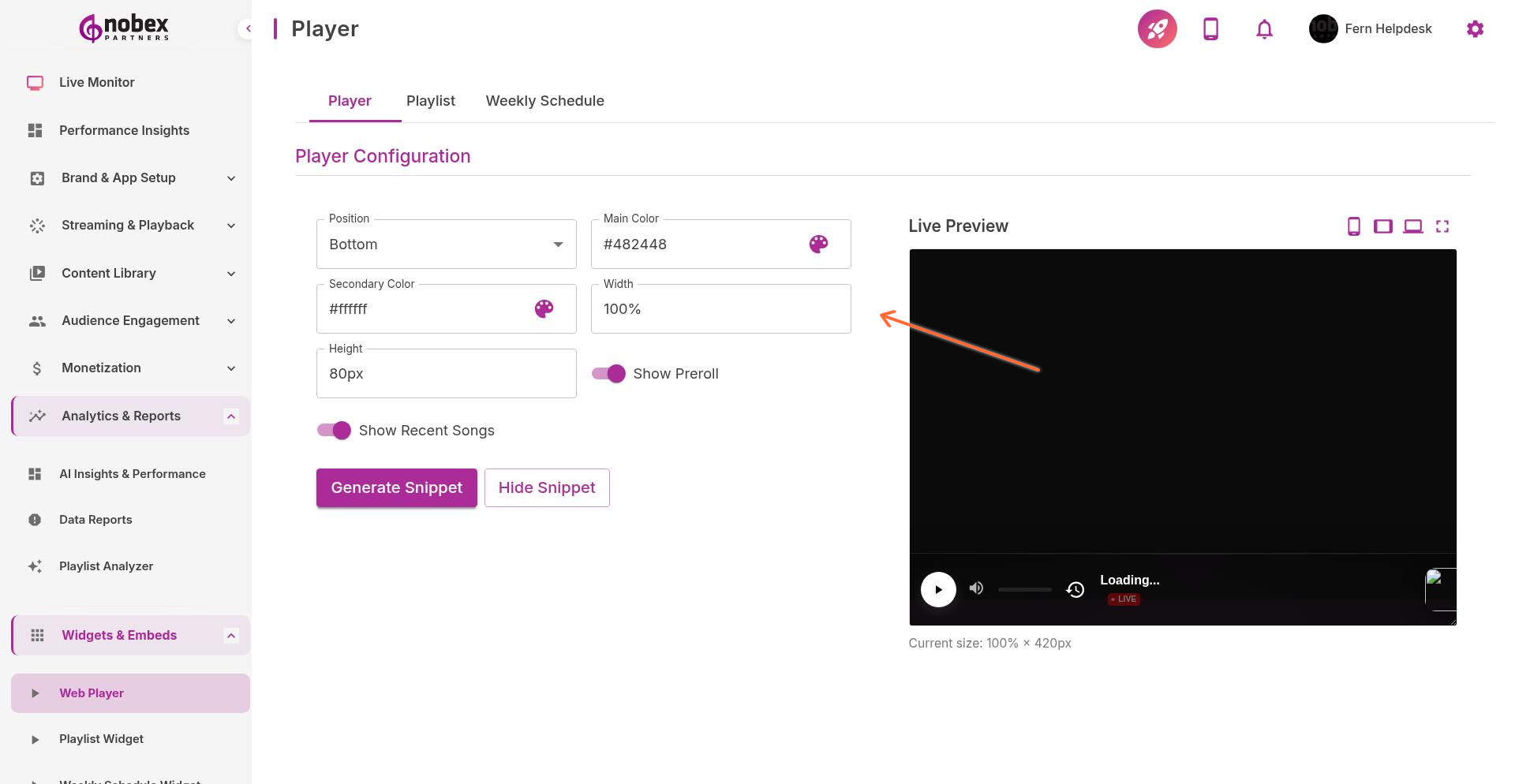
Configuring the Player
Customize the widget appearance and behavior:
Position — Fixed corner player or inline embedded player
Main Color — Primary brand color for player controls
Secondary Color — Accent color for highlights and buttons
Width/Height — Player dimensions (pixels or percentage)
Show Preroll — Display a message or ad before stream starts
Show Recent Songs — Display recently played tracks below player
Use brand colors that match your website for a seamless look. The player will feel like a native part of your site.
Embedding the Widget
After configuring, click Generate Snippet to get the embed code. Copy the code and paste it into your website's HTML where you want the player to appear.
<!-- Example embed code -->
<div id="nobex-player"></div>
<script src="https://player.nobexpartners.com/embed.js"></script>
Player Features
The embedded player includes:
Play/pause controls
Volume adjustment
Now-playing track info with album art
Link to download your mobile app
Responsive design that works on mobile and desktop
The widget updates automatically when you change stream settings or branding in your dashboard—no need to update embed code.