
Polls
Polls let you gather listener opinions, make programming decisions, and boost engagement by asking your audience questions directly in your app.
Accessing Polls
Navigate to Polls from the sidebar or visit /polls.
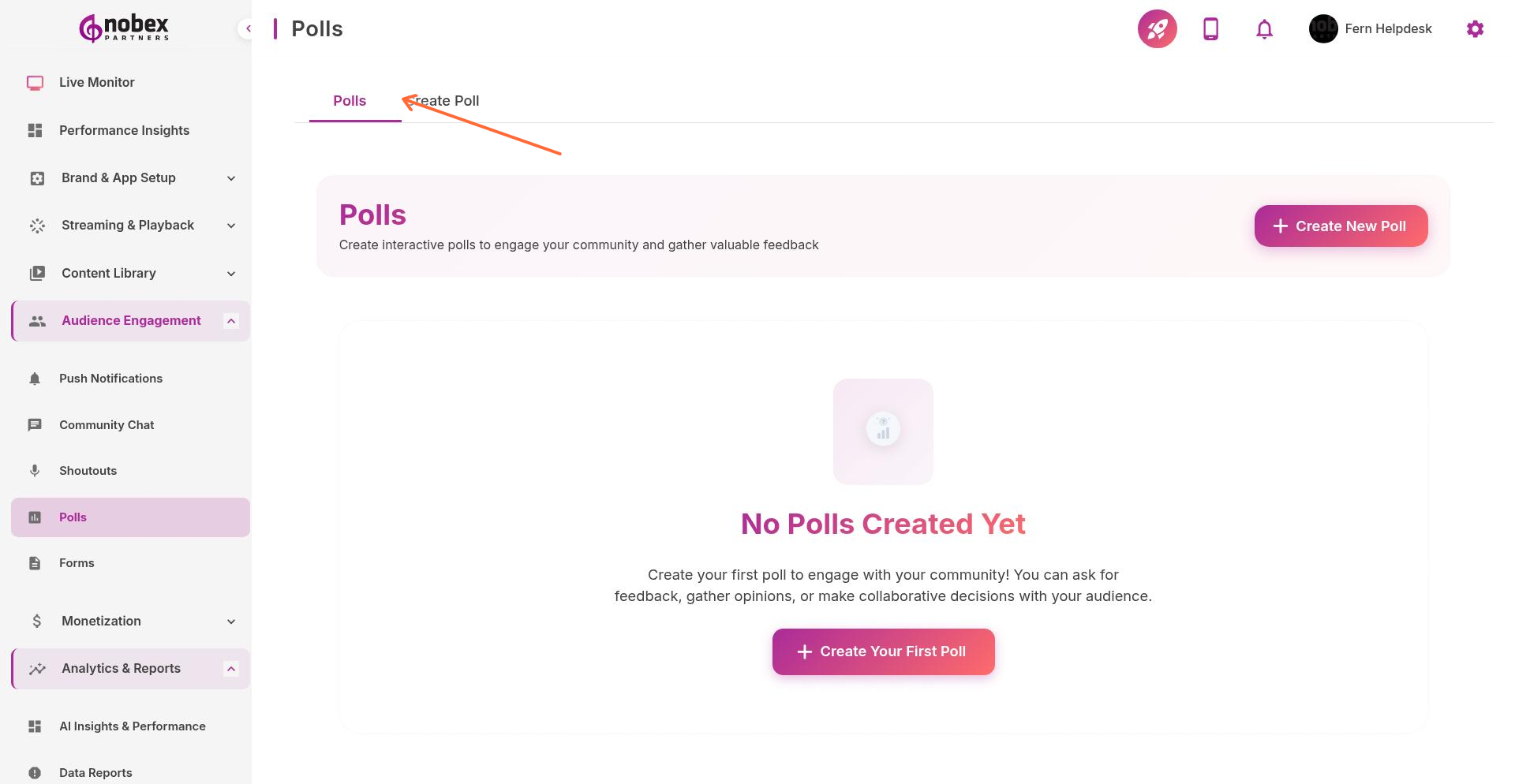
Creating a Poll
Switch to the Create Poll tab or visit /polls/create.
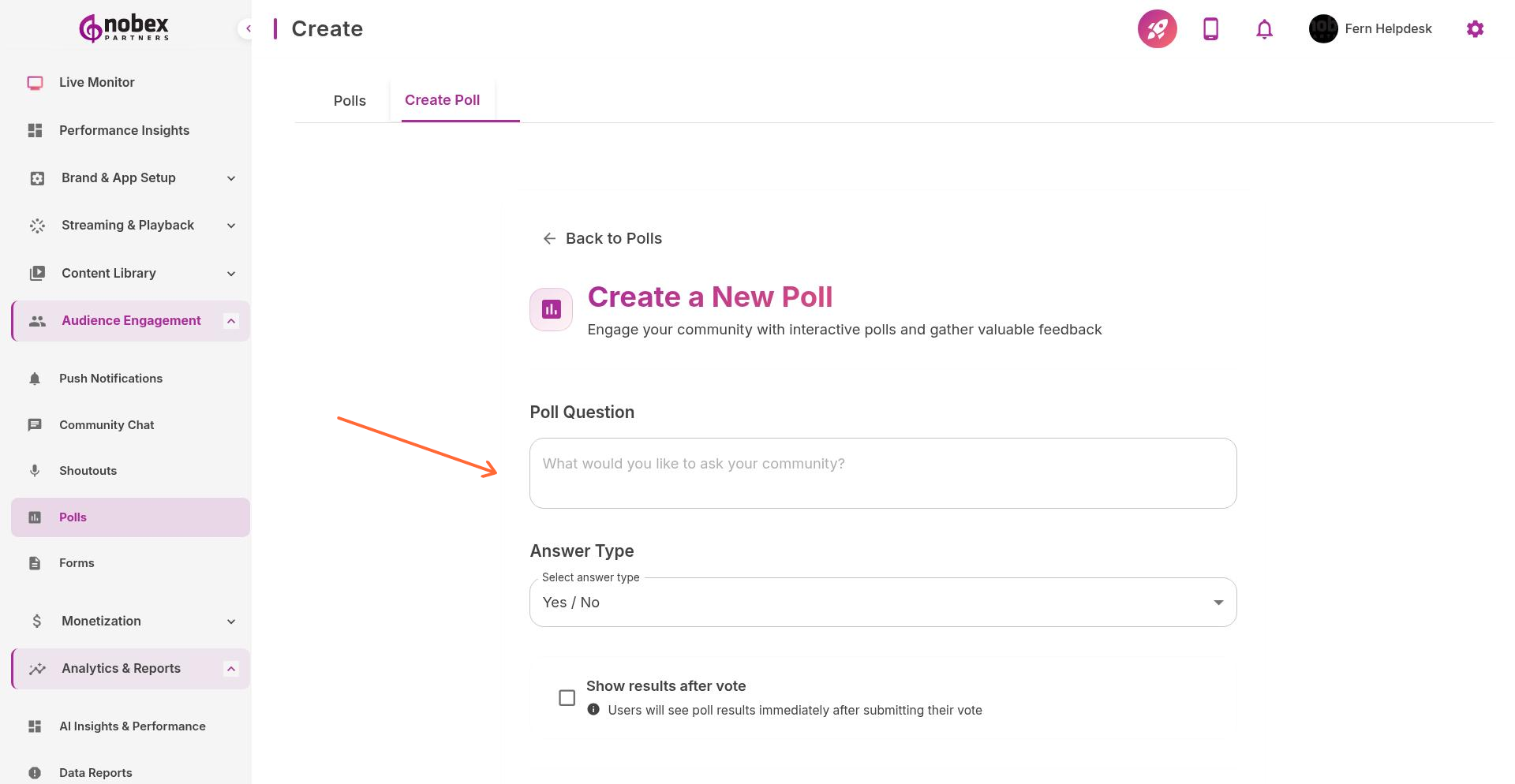
Enter your poll details:
Poll Question — The question you're asking listeners
Answer Type — Multiple choice, single choice, or text response
Answer Options — Provide 2-5 choices for multiple/single choice polls
Show results after vote — Let users see results immediately or hide until poll closes
Duration — How long the poll stays active
Keep questions simple and answer choices concise. Listeners are often voting on mobile devices during other activities.
Managing Polls
From the Polls tab, you can:
View Results — See vote counts and percentages in real-time
Close Early — End a poll before its scheduled end time
Export Data — Download poll results for analysis
Archive — Remove finished polls from the active list
Poll Ideas
Which song should we play next?
What time slot works best for a new show?
Rate this week's playlist (1-5 stars)
Which guest should we invite on the show?
What music genre do you want to hear more of?