
Data Reports Overview
Data Reports provide comprehensive analytics on listener behavior, content performance, engagement, and revenue. Use these insights to make informed programming and business decisions.
Detailed reporting features require a Pro or Enterprise plan subscription. Basic plans see limited metrics.
Accessing Reports
Navigate to Reports from the sidebar or visit /reports.
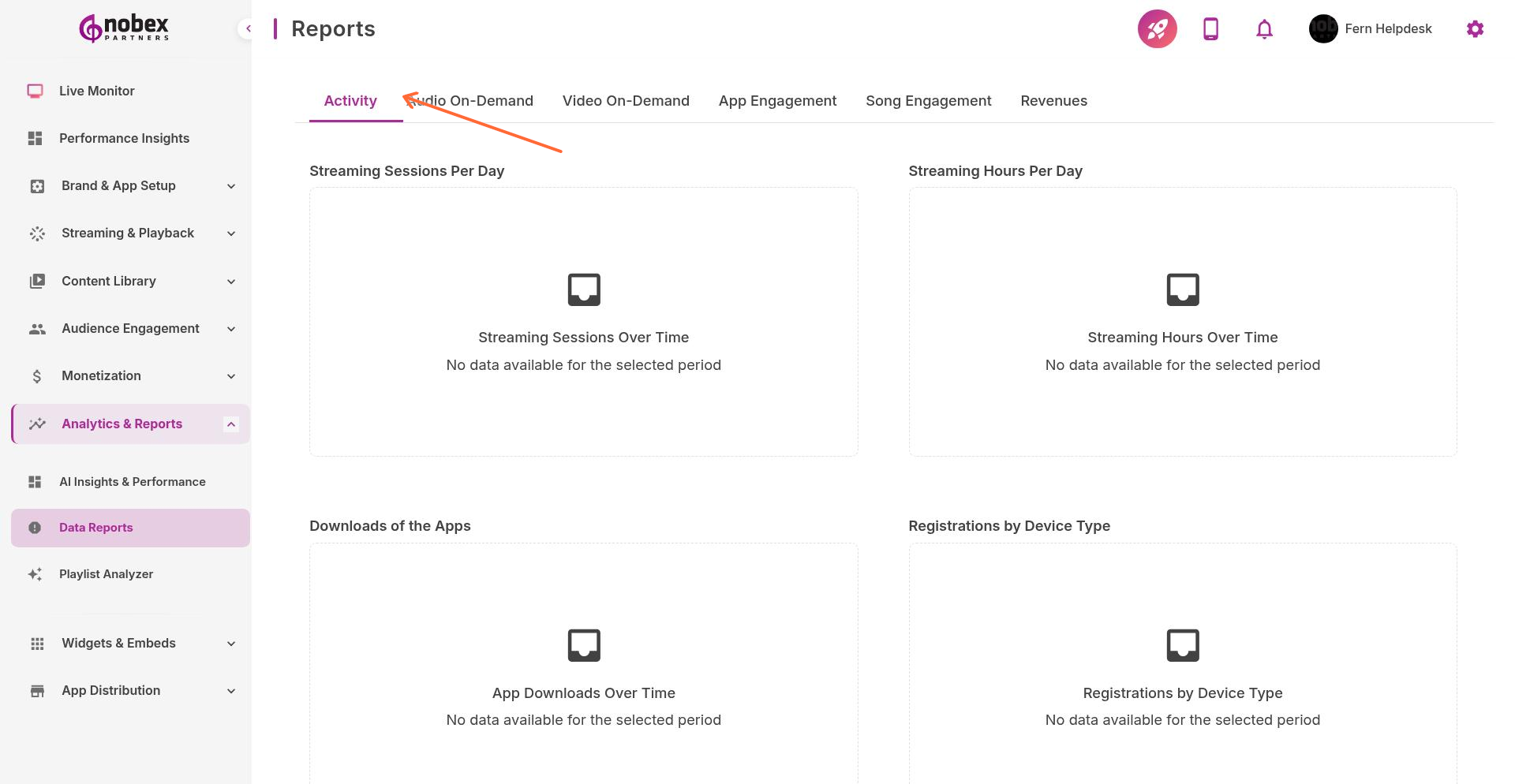
Available Report Types
Reports are organized into six categories, each accessible via tabs:
Activity — Overall listener activity, session duration, and active users
Audio On-Demand — Podcast and on-demand content performance
Video On-Demand — Video content views and engagement (when available)
App Engagement — User retention, feature usage, and interaction patterns
Song Engagement — Track-level analytics showing which songs resonate most
Revenues — Ad revenue, in-app purchases, and monetization metrics
Using Reports
All reports support:
Date Range Selection — View data for specific time periods
Export to CSV — Download raw data for external analysis
Filtering — Segment by platform (iOS/Android), geography, or user type
Comparison Views — Compare performance across time periods
Check reports weekly to spot trends. Sudden drops in engagement often indicate technical issues or content problems.