
Chapter 9: Account Settings
Account Settings control your global Nobex Partners dashboard configuration—notifications, security, developer tools, and support resources. These settings apply to your entire account and affect how you manage your station.
Account Settings are admin-only. Other user roles cannot access or modify these settings.
Accessing Account Settings
To access your Account Settings, click the Gear icon in the top right corner of your dashboard header, then select Settings from the menu.
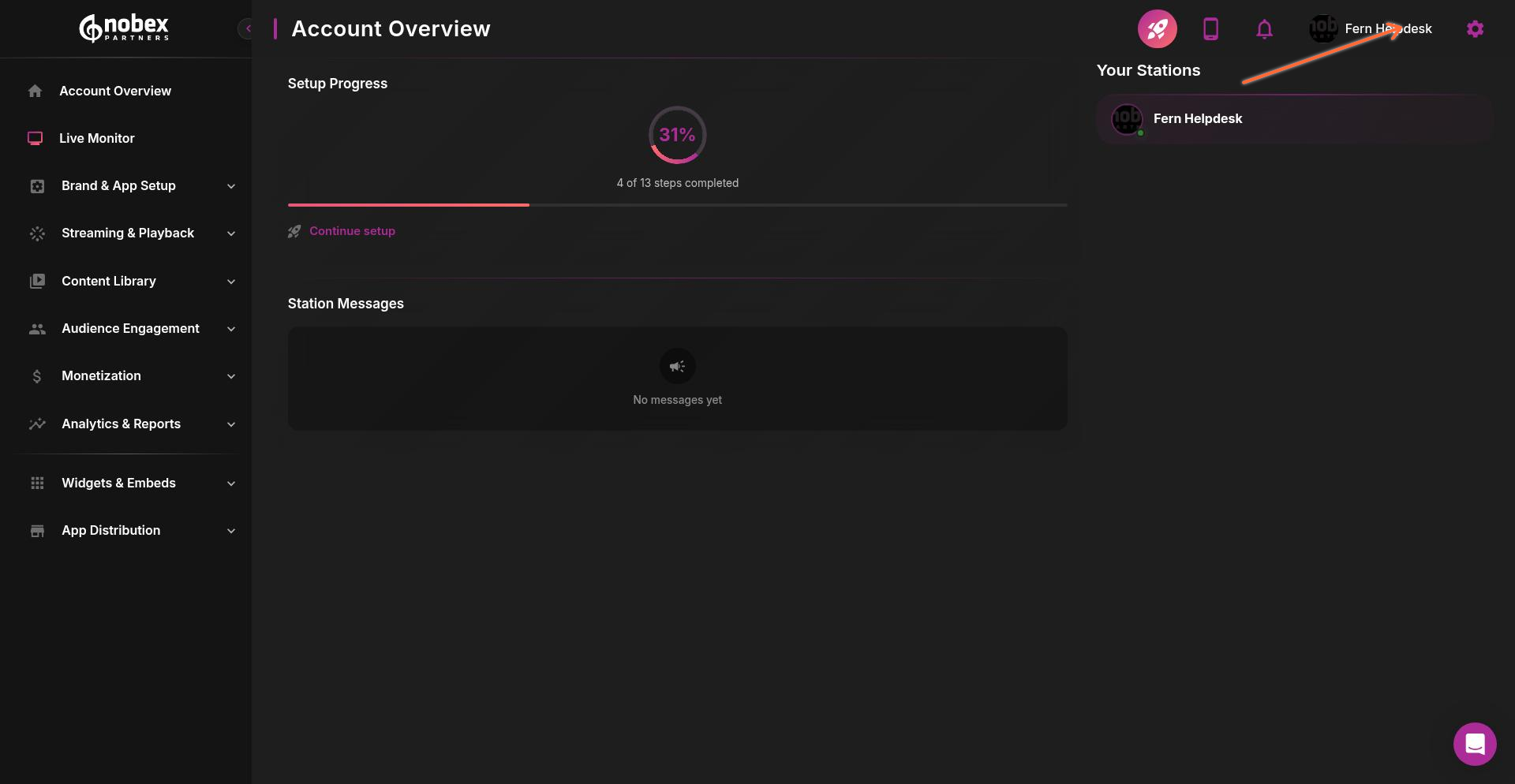
Once in Settings, you'll see four main sections organized as tabs: Notifications, Security, Developer, and Support.
Notifications
The Notifications section lets you control how and when you receive alerts about account activity.
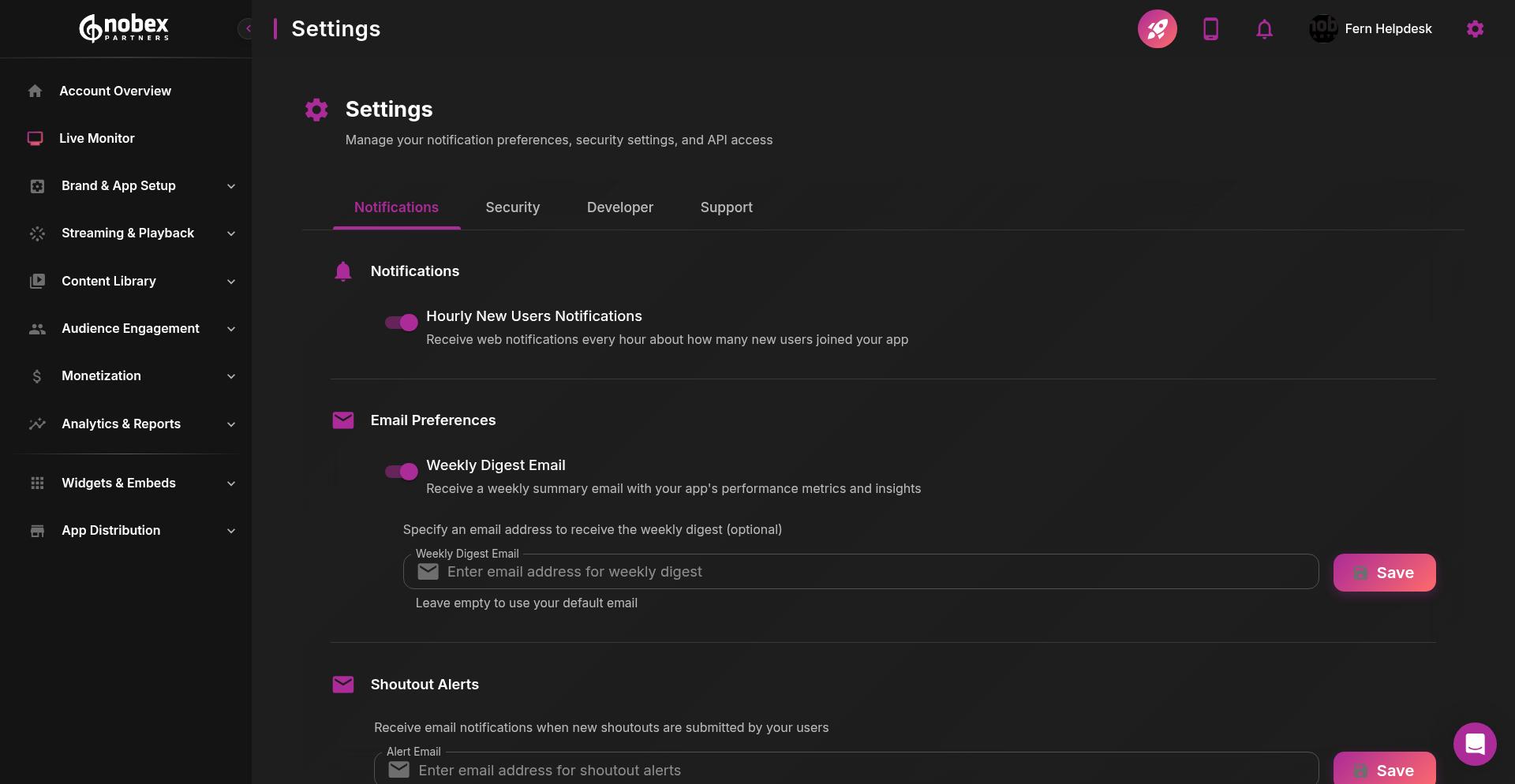
Available Notification Settings
Hourly New Users Notifications — Receive alerts when new listeners download your app or register
Weekly Digest Email — Enter an email address to receive a weekly summary of listener activity, app performance, and key metrics
Shoutout Alerts — Get notified when listeners send shoutouts or messages through your app
Each notification type has its own email input field where you can specify the recipient address. Click Save after updating any email preference.
Use different email addresses for different notification types to route alerts to the right team members—send user signups to your marketing team and technical alerts to operations.
Security
The Security section handles password management and account protection. Currently, you can update your account password from this section.
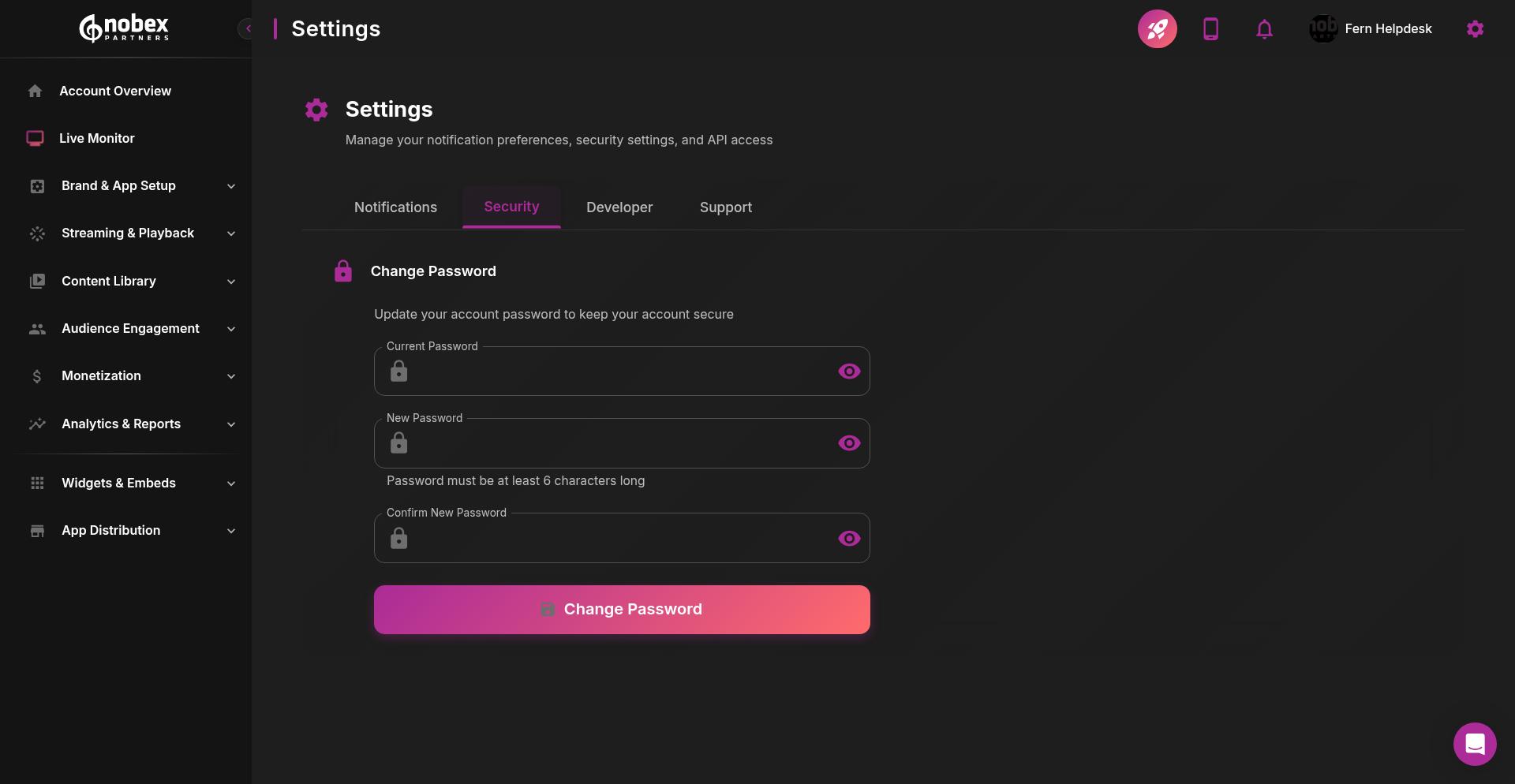
Changing Your Password
To update your password:
Enter your Current Password
Enter your New Password
Re-enter the new password in Confirm New Password
Click Change Password
Use a strong password with a mix of uppercase, lowercase, numbers, and special characters. Avoid reusing passwords from other services.
Developer
The Developer section provides access to API tokens and technical documentation for integrating with the Nobex Partners API. This section includes three sub-tabs: Tokens, Usage, and Documentation.
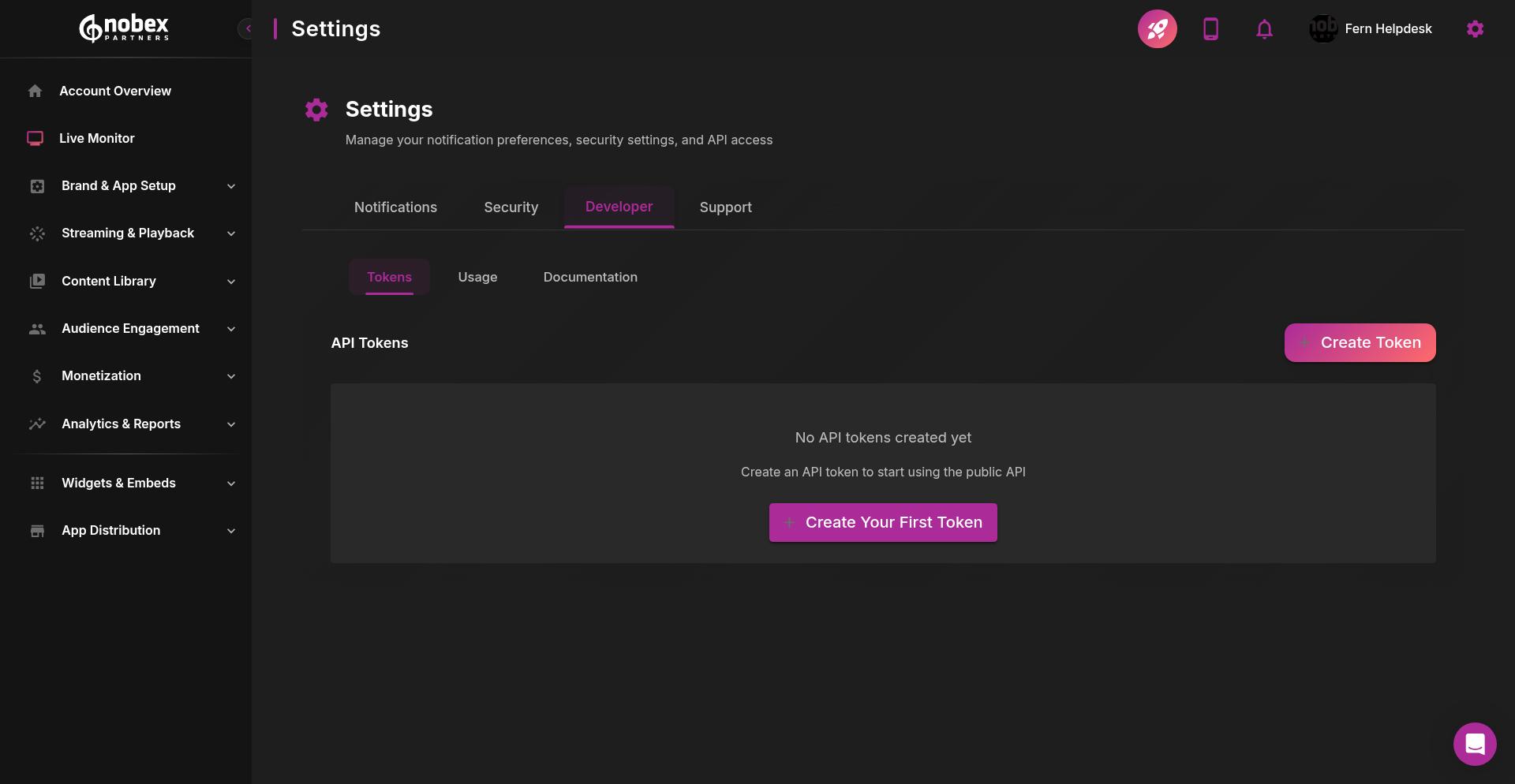
API Tokens
API tokens allow you to access Nobex Partners features programmatically—automate content updates or build custom tools.
When you haven't created any tokens yet, you'll see a prompt to Create Your First Token. Click either the prominent button or the Create Token button in the top right to generate a new API token.
Store API tokens securely. Anyone with your token can access your account data. Never commit tokens to public repositories or share them in unsecured channels.
Usage and Documentation
The Usage tab shows your API request activity and rate limits. The Documentation tab provides technical references, endpoints, and integration examples for working with the Nobex Partners API.
Support
The Support section provides quick access to essential resources and help documentation.
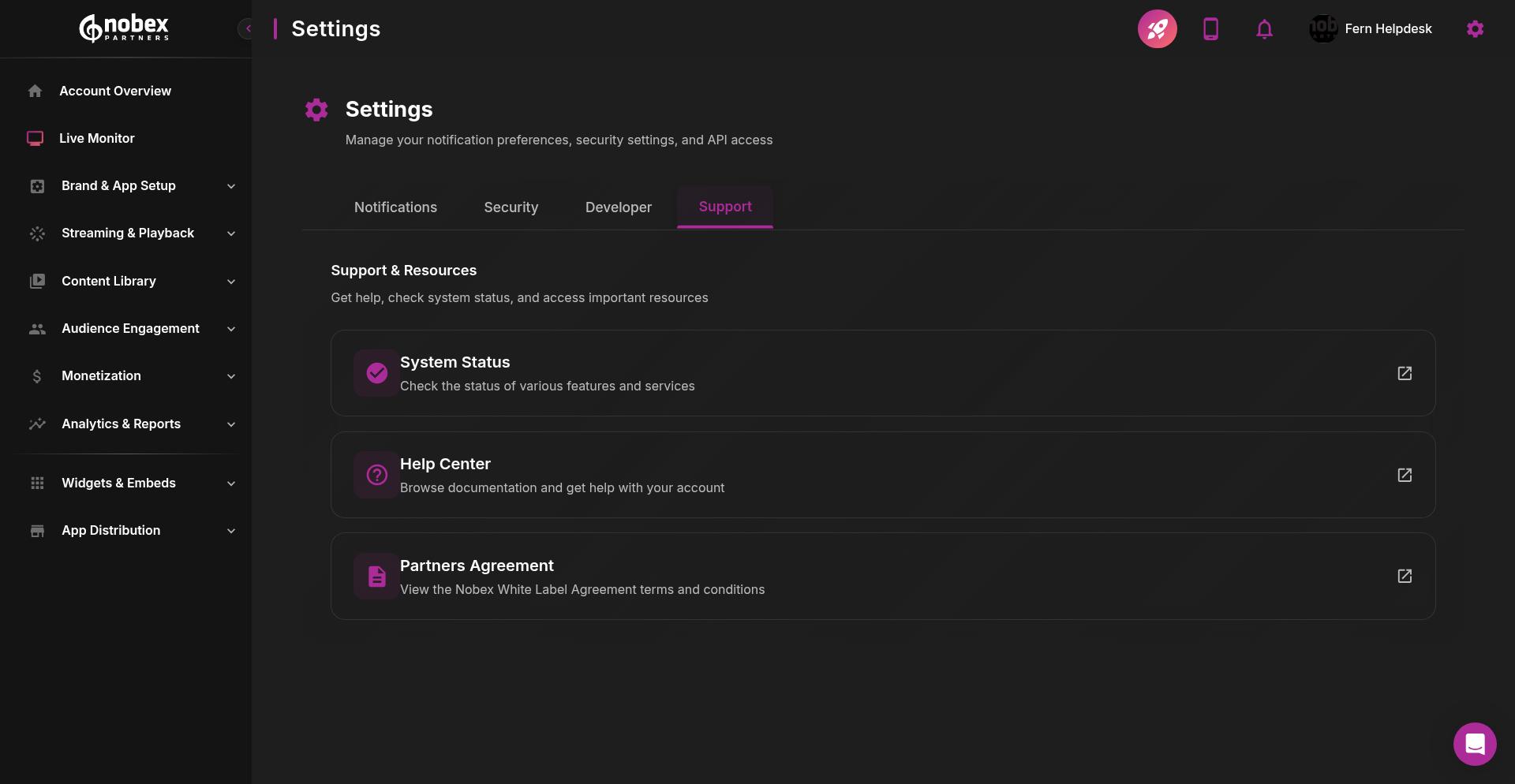
Available Resources
System Status — Check real-time status of Nobex Partners services and infrastructure. Use this to verify if any outages or maintenance might be affecting your app.
Help Center — Access the complete knowledge base with setup guides, troubleshooting articles, and best practices.
Partners Agreement — Review the terms of service and partnership agreement governing your Nobex Partners account.
Each resource opens in a new window or tab, letting you reference documentation while working in your dashboard.
Bookmark the System Status page to quickly check service health during troubleshooting. If your stream isn't working, verify Nobex services are operational before investigating your own infrastructure.