
Live Monitor Dashboard
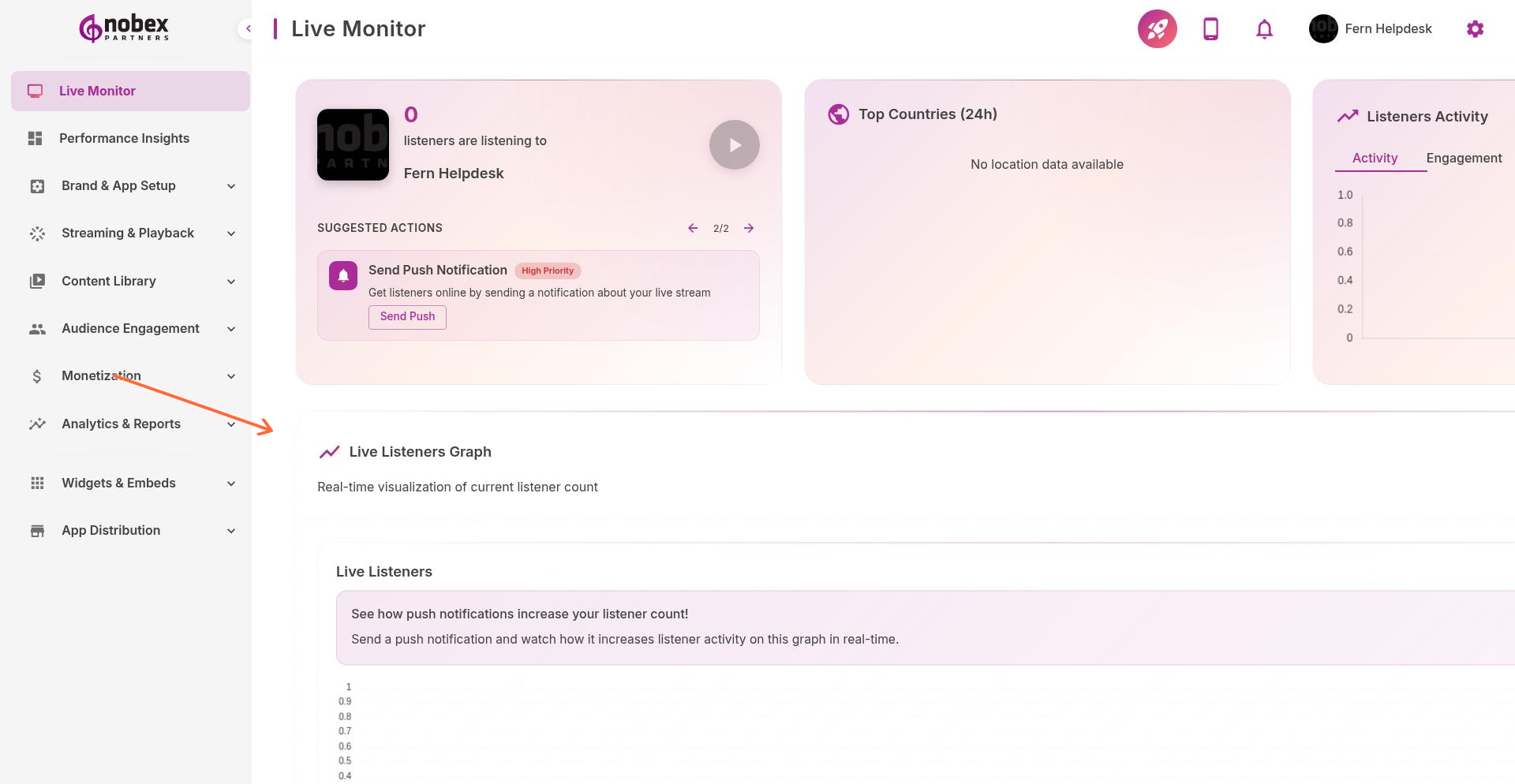
The Live Monitor dashboard shows real-time listener activity for your radio app. Track active listeners, view geographic distribution, and get AI-powered suggestions to boost engagement.
Accessing the Live Monitor
The Live Monitor is your default dashboard view when you sign in. You can also navigate to it anytime from the main menu.
What You'll See
Live Listeners Graph — Shows current active listeners with real-time updates
Real-Time Activity Map — Geographic visualization of where your listeners are tuning in from
Suggested Actions — AI-driven recommendations like sending push notifications during peak listening times
The Live Monitor updates automatically. Keep it open to watch listener trends throughout the day.
Quick Actions
When the system detects opportunities, you'll see suggested actions like "Send Push Notification" directly in the dashboard. Click these to act on AI insights instantly.