
Playlist Widget
The Playlist Widget displays your recently played songs on your website in real-time. Show visitors what's playing now and what just aired.
Accessing Playlist Widget
Navigate to Widgets → Playlist or visit /widgets/playlist.
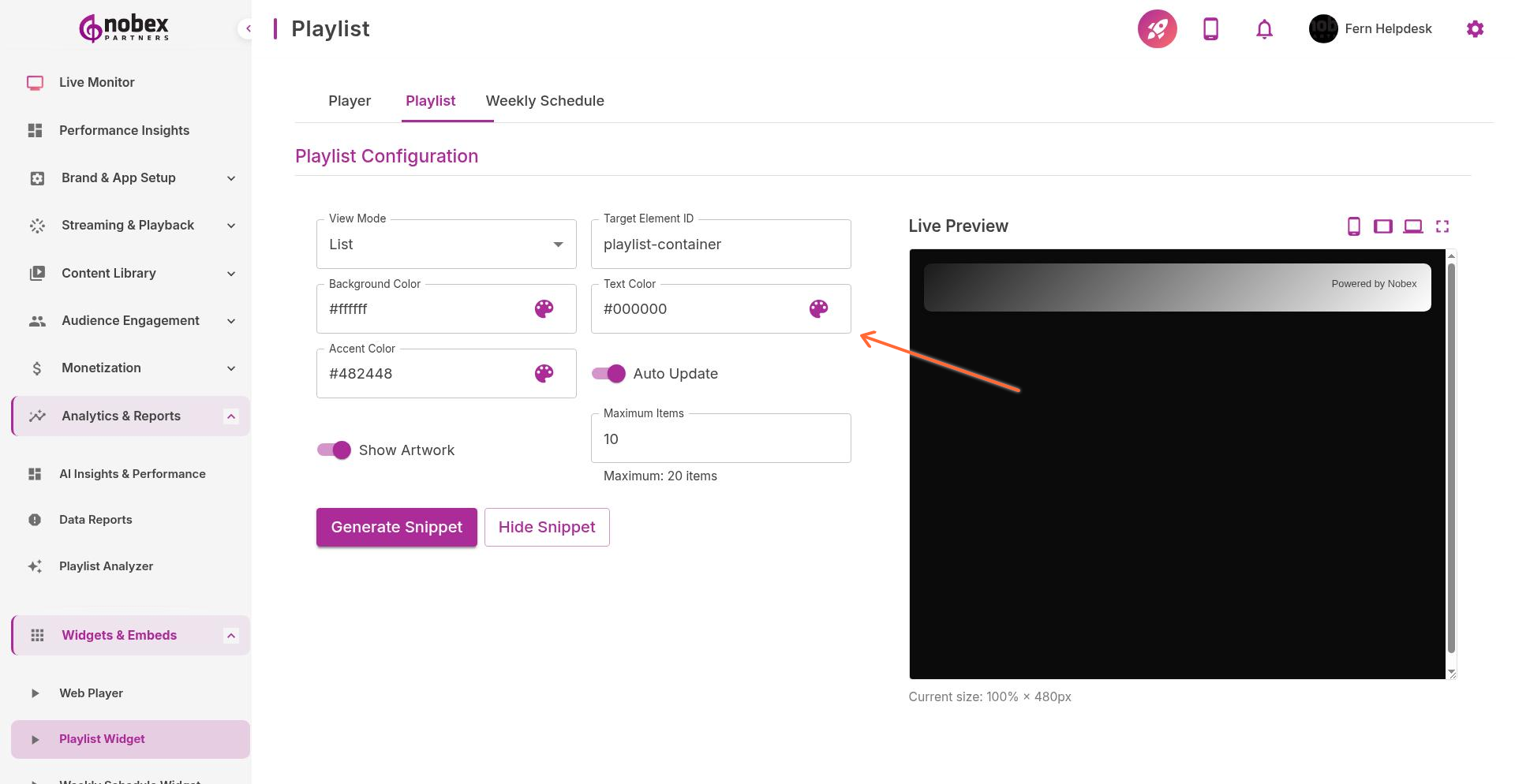
Configuration Options
View Mode — Vertical list, horizontal carousel, or compact mode
Target Element ID — HTML element ID where widget will appear
Background Color — Widget background
Text Color — Song and artist name color
Accent Color — Highlight color for current song
Auto Update — Refresh playlist automatically when new songs play
Show Artwork — Display album art thumbnails
Maximum Items — How many songs to display (1-20)
Set Auto Update to enabled so the widget refreshes without requiring page reloads. Visitors always see current tracks.
Embedding the Widget
Click Generate Code after configuring. You'll get two pieces:
An HTML element to place where you want the playlist to appear
A JavaScript snippet to include once per page (usually in the footer)
<!-- In your page content -->
<div id="nobex-playlist"></div>

<!-- Before closing body tag -->
<script src="https://widgets.nobexpartners.com/playlist.js"></script>
Use Cases
Homepage "Now Playing" section
Dedicated playlist archive page
Sidebar widget on blog or news pages
Social proof ("X people are listening to...")
The widget requires accurate now-playing metadata. Ensure your broadcasting software is sending track info to Nobex.